Tag products on a livestream, pin featured items for viewers, grant co-host permissions, and track engagement analytics.
SDK v7.x · Last verified March 2026 · iOS · Android · Web
Platform note — code samples below use TypeScript. Every method has an equivalent in the iOS (Swift) and Android (Kotlin) SDKs — see the linked SDK reference in each step.
Speed run — just the code
import { PostRepository } from '@amityco/ts-sdk';// 1. Create a room post with product tags + pinned productconst post = await PostRepository.createRoomPost({ targetType: 'community', targetId: communityId, data: { roomId: room.roomId, title: 'Flash Sale Live!' }, productTags: [ { productId: 'prod_001' }, { productId: 'prod_002' }, ], pinnedProductId: 'prod_001',});// 2. Swap pinned product mid-stream (uses CHILD post ID)await PostRepository.pinProduct(childPostId, 'prod_002');// 3. Unpin when done showcasingawait PostRepository.unpinProduct(childPostId);
Full walkthrough below ↓
Pinned product overlay during a live broadcast with chat and viewer count
Product tagging turns a livestream into a shoppable experience. Hosts tag products from the catalog, pin one at a time as a prominent overlay, and viewers can browse and click through — all without leaving the stream.
Product Catalog is configured and enabled in your Admin Console
Available on iOS, Android, and Web only (Flutter / React Native not yet supported)
Child Post ID — pinProduct, unpinProduct, and updateProductTags all operate on the child room post, not the parent. Use the child post ID returned at creation.
Before you can tag products in a livestream, your catalogue must be populated in Admin Console → Product catalogue.
1
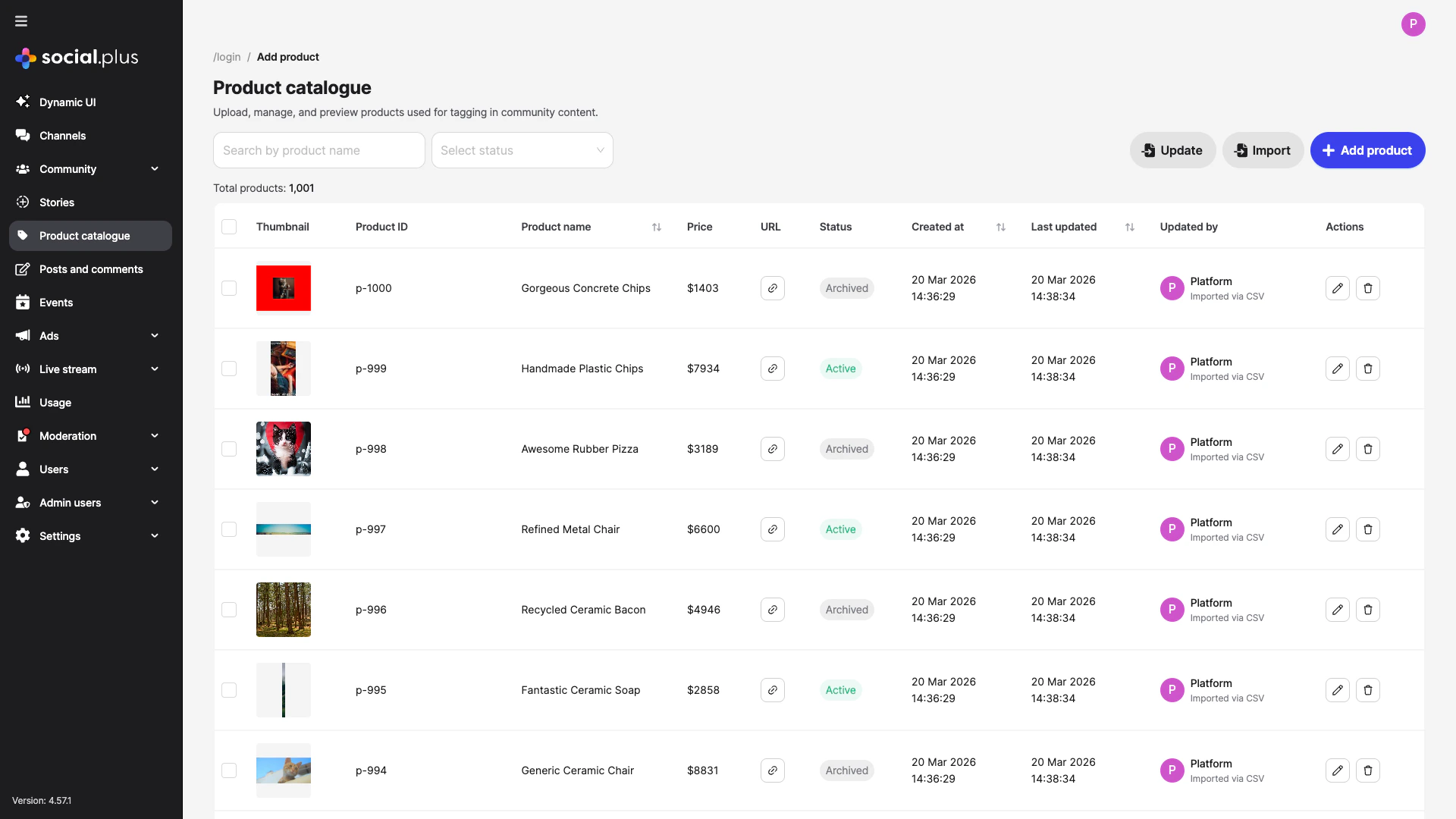
Open the Product Catalogue
Navigate to Product catalogue in the Admin Console sidebar.
Product Catalogue dashboard — search, filter, import, and manage products
2
Add products
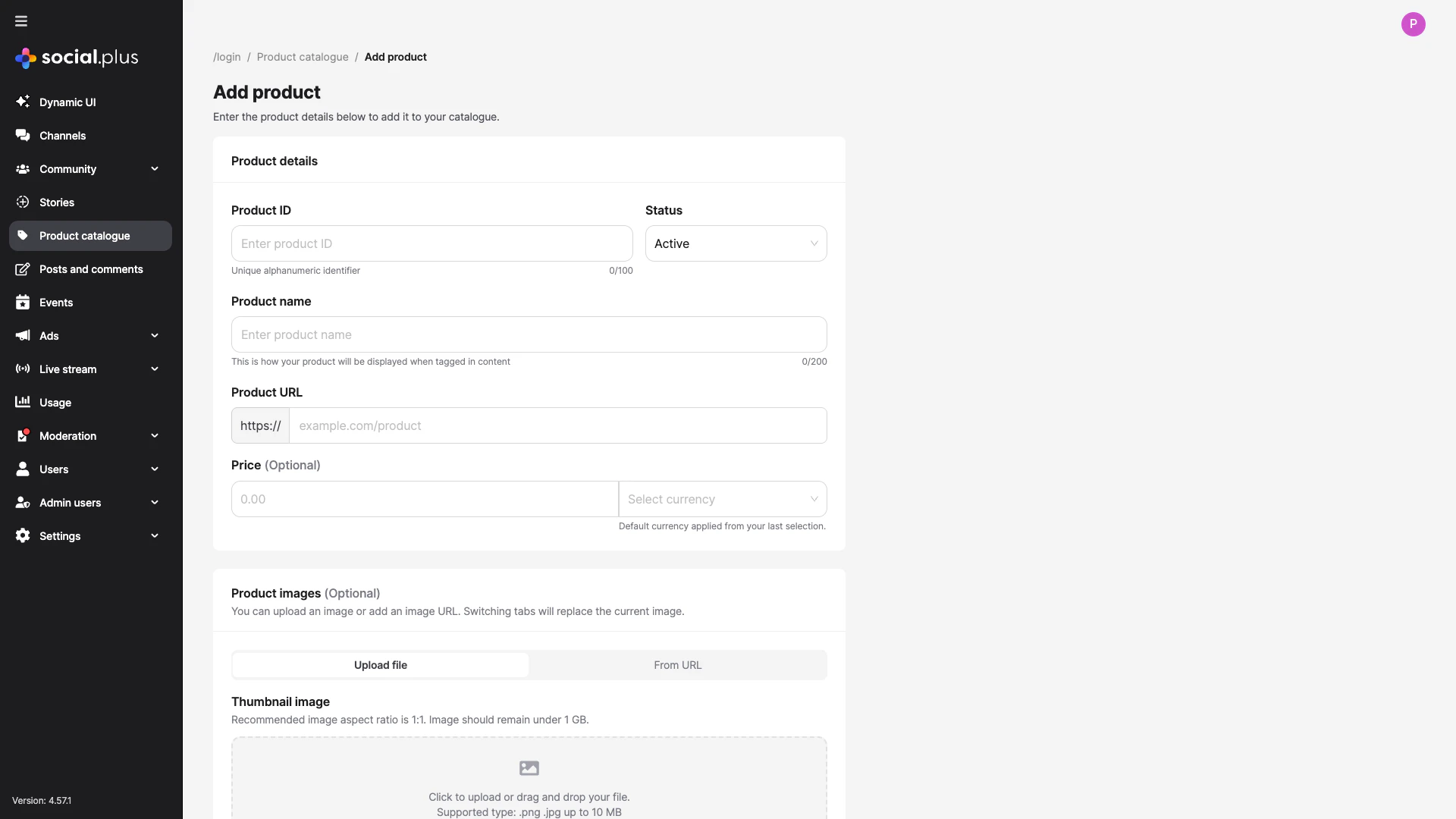
Click + Add product to create products individually, or use Import to upload a CSV for bulk creation. Each product needs an ID, name, URL, and status set to Active.
Add product form — product ID, name, URL, price, and thumbnail image
3
Verify products are Active
Only products with Active status show up in the tag-product search on the app side. Archived products are hidden from tagging.
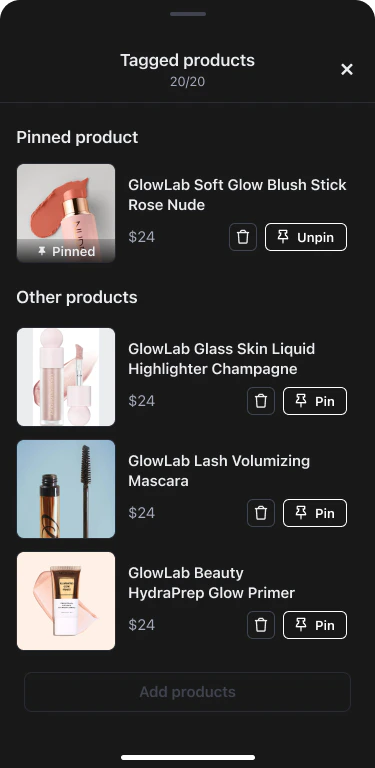
Only one product can be pinned at a time. Pinning a new product automatically replaces the previous one — no need to unpin first.
// Pin a product (uses CHILD post ID)await PostRepository.pinProduct(childPostId, 'prod_002');// Unpin the current productawait PostRepository.unpinProduct(childPostId);
3
Update the tag list during the stream
updateProductTags does a full replacement. To add a product, merge it with the existing array. If the currently pinned product is not in the new array, it is automatically unpinned.
Fire view and click analytics to measure which products drive the most interest.
// When a product card becomes visibleproduct.analytics.markAsViewed( 'livestream_page/product_list/product_item', AnalyticsSourceTypeEnum.ROOM, roomId,);// When a viewer taps the product linkproduct.analytics.markAsClicked( 'livestream_page/product_list/product_item', AnalyticsSourceTypeEnum.ROOM, roomId,);
Events are fire-and-forget and automatically deduplicated per product per source.
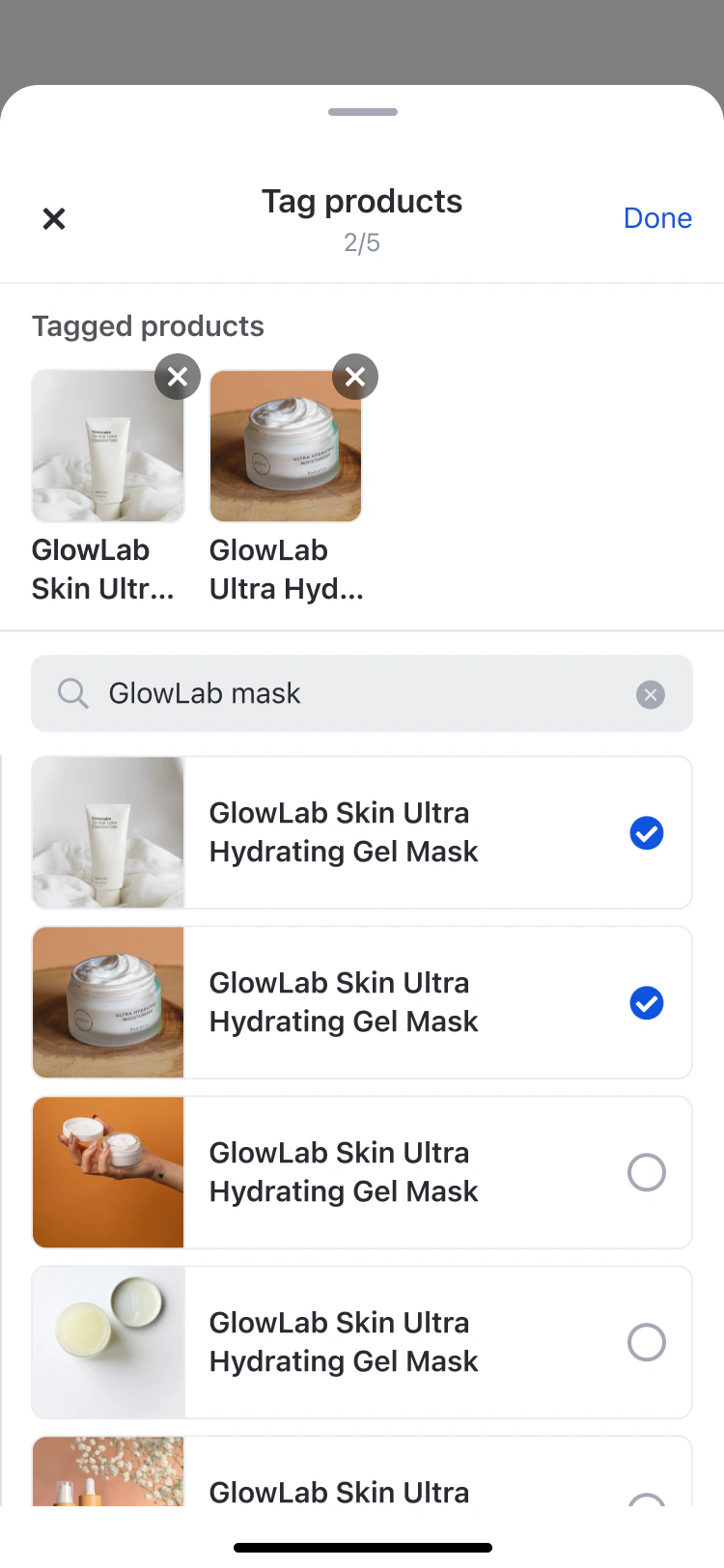
If you’re using UIKit, the product tagging UI is handled with two shared components:
Component
Used for
Platforms
ProductTagSelectionComponent
Searching and selecting products to tag (up to 20 in livestream mode)
iOS, Android, Web
ManageProductTagListComponent
Managing tagged products with pin/unpin/remove (host view); browsable read-only list (viewer view)
iOS, Android, Web
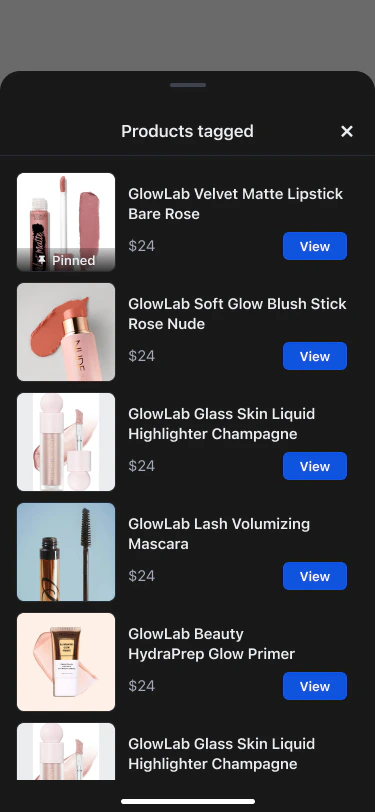
The viewer sees a tag icon with a badge count. Tapping it opens a scrollable product list overlay. Tapping a product opens its link in an in-app browser while the stream continues playing.
Using the parent post ID instead of the child post ID — pinProduct, unpinProduct, and updateProductTags all require the child room post ID. Using the parent ID silently fails or throws an error.
Calling updateProductTags with just the new product — This is a full replacement, not an append. If you pass only the new product, all existing tags are removed. Always merge with the existing array first.
Pinning a product that isn’t in productTags — The product must already exist in the tag list. Pin it after adding it via createRoomPost or updateProductTags.