

SDK v7.x · Last verified March 2026 · iOS · Android · Web
Speed run — just the code
Speed run — just the code
Livestream
Go live directly within the app — attendees watch and chat in real time.
Virtual (External Link)
Redirect attendees to Zoom, Google Meet, or any external URL.
In-Person
Physical gatherings with an address field and map support.
Prerequisites: SDK installed and authenticated. A
communityId is required — events are always attached to a community.Also recommended: Complete Community Platform first — events live inside communities.After completing this guide you’ll have:
- Event creation with title, description, date/time, and location
- RSVP (going / not going) flow with attendee list
- Events discoverable in community feeds and a dedicated events list
Quick Start: Create an Event
TypeScript
Step-by-Step Implementation
1
Query events in a community
Query events for a specific community, filtered by status and sort order. Results are returned as a live collection.Full reference → Manage Events
TypeScript
2
RSVP to an event
Let users respond with Full reference → Event RSVP
going, not_going, or interested. Users can change their RSVP at any time before the event starts.TypeScript
3
Query event attendees
Query the list of attendees filtered by RSVP status. Use this to show who’s going, display an attendee count, or build an attendee list screen.Full reference → Event RSVP
TypeScript
4
Update and delete events
Event creators and community moderators can update event details (title, description, time, location) or delete events entirely.Full reference → Manage Events
TypeScript
Admin Console: Manage & Monitor Events
Admins can create, view, and manage all events across communities from Admin Console → Events.Events Dashboard
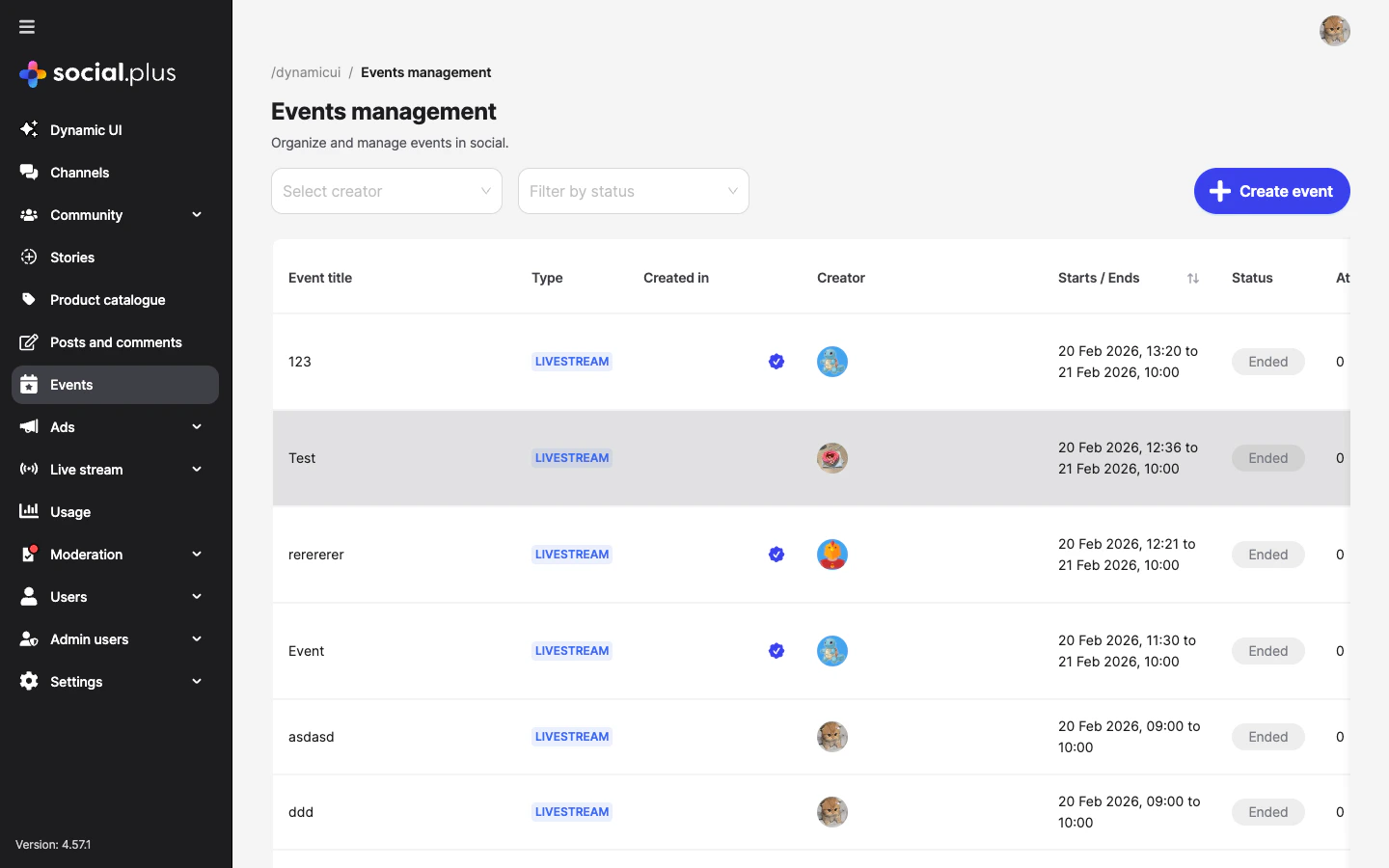
Events management — view all events with status, type, creator, attendee count, and dates
Create Events from Console
Click Create event to build events directly from the console — useful for official community events or marketing campaigns.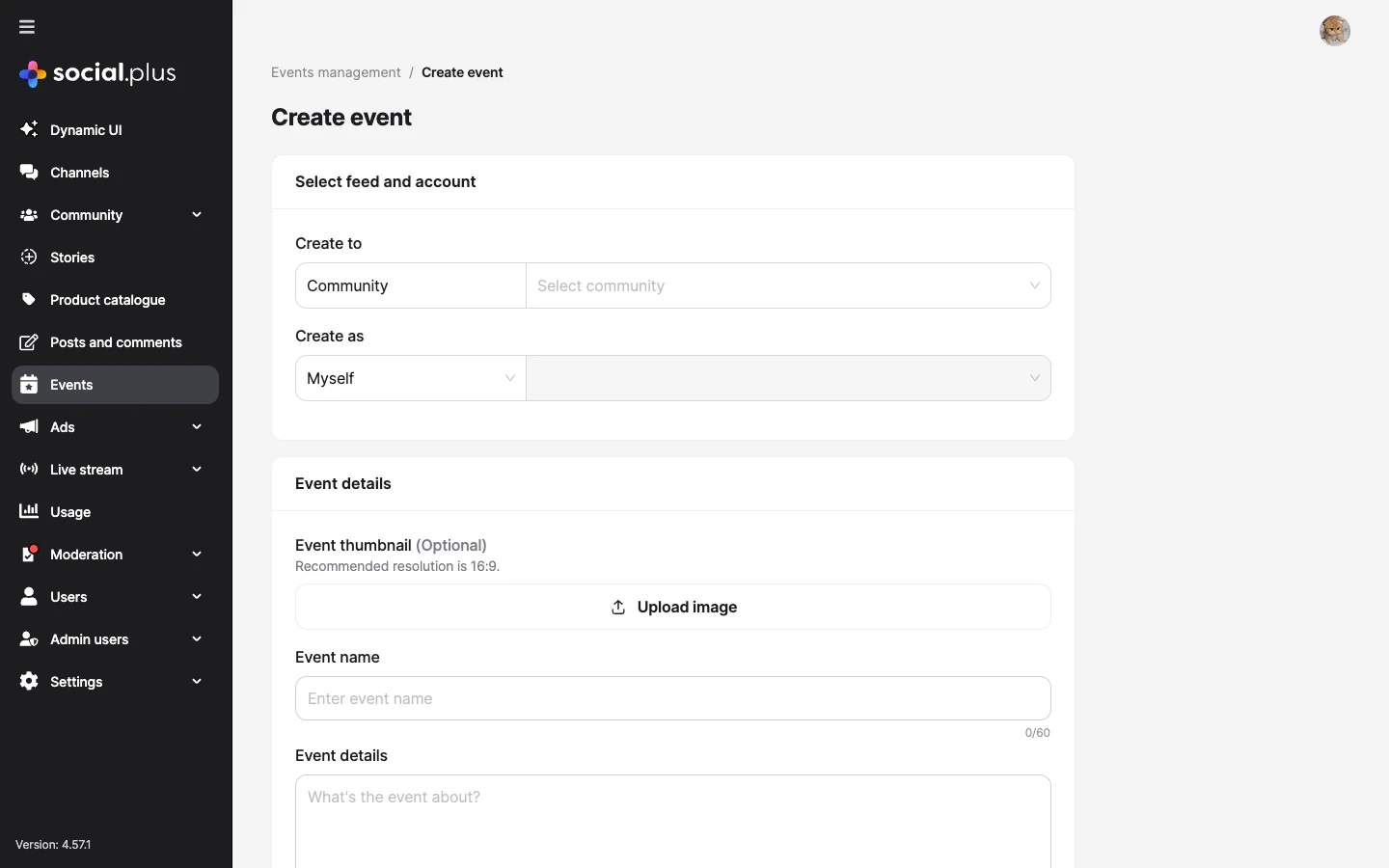
Create event form — select community, set event name, thumbnail, description, dates, and type
- Feed & account — target community and creator identity
- Event details — name (60 chars), description (1,000 chars), optional 16:9 thumbnail
- Schedule — timezone-aware start and end date/time pickers
- Event type — Livestream, External Link (URL), or In-Person (address)
Event Detail View
Click any event to see its detail page with three tabs: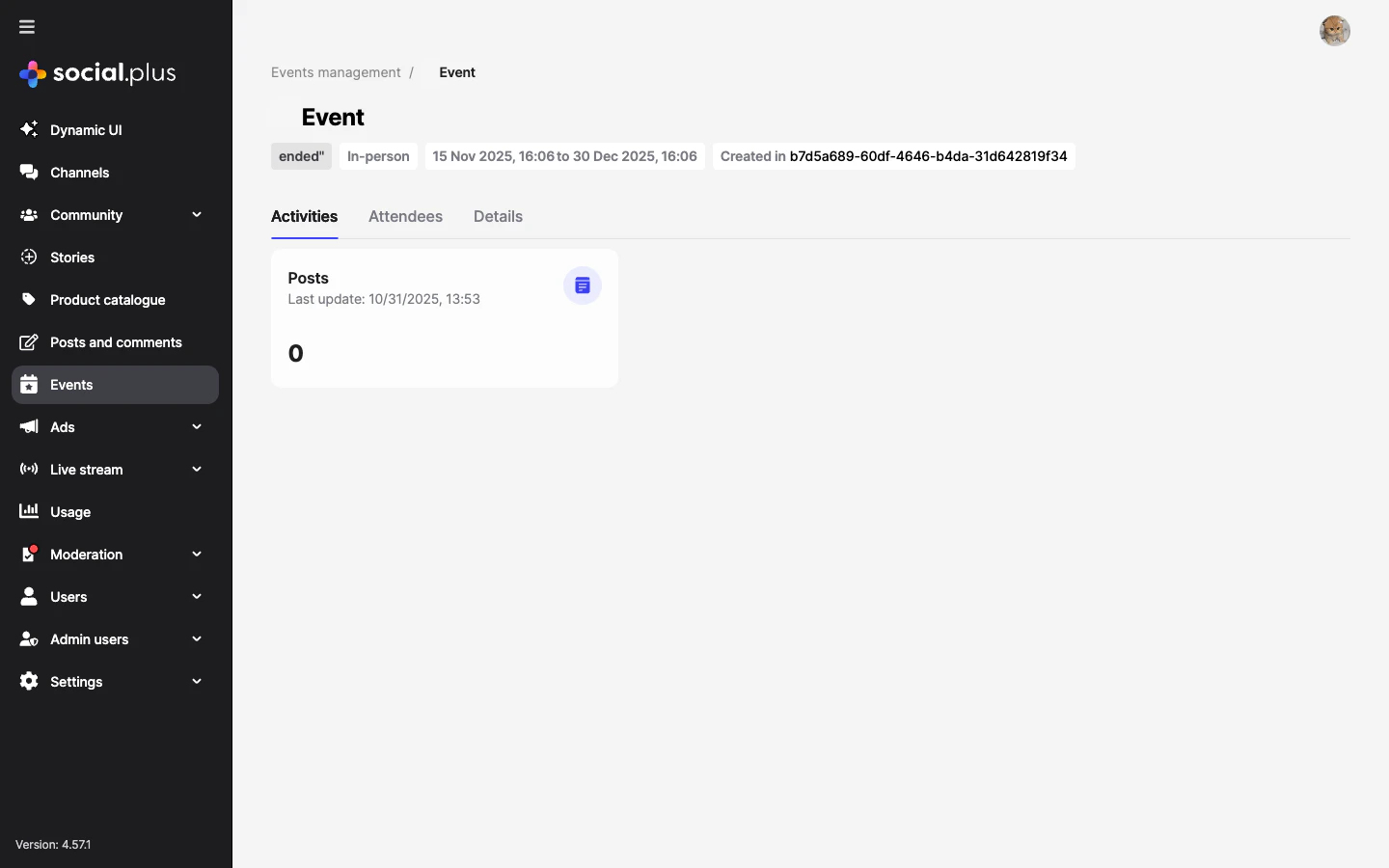
Event detail — Activities tab showing posts created within the event context
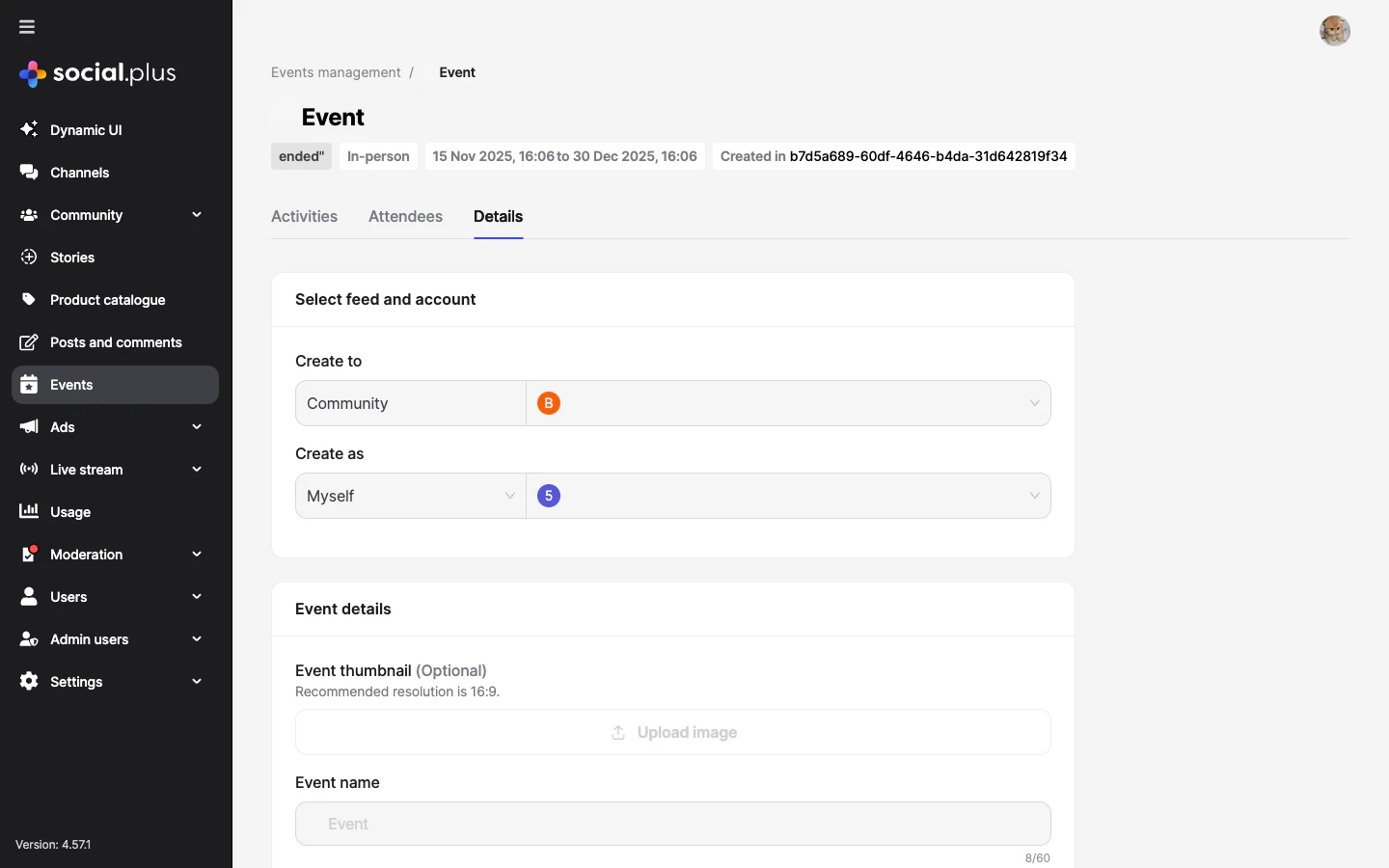
Event detail — Details tab with editable event configuration
Push Notification Configuration
Enable event-related push notifications in Admin Console → Settings → Push notifications → Community event.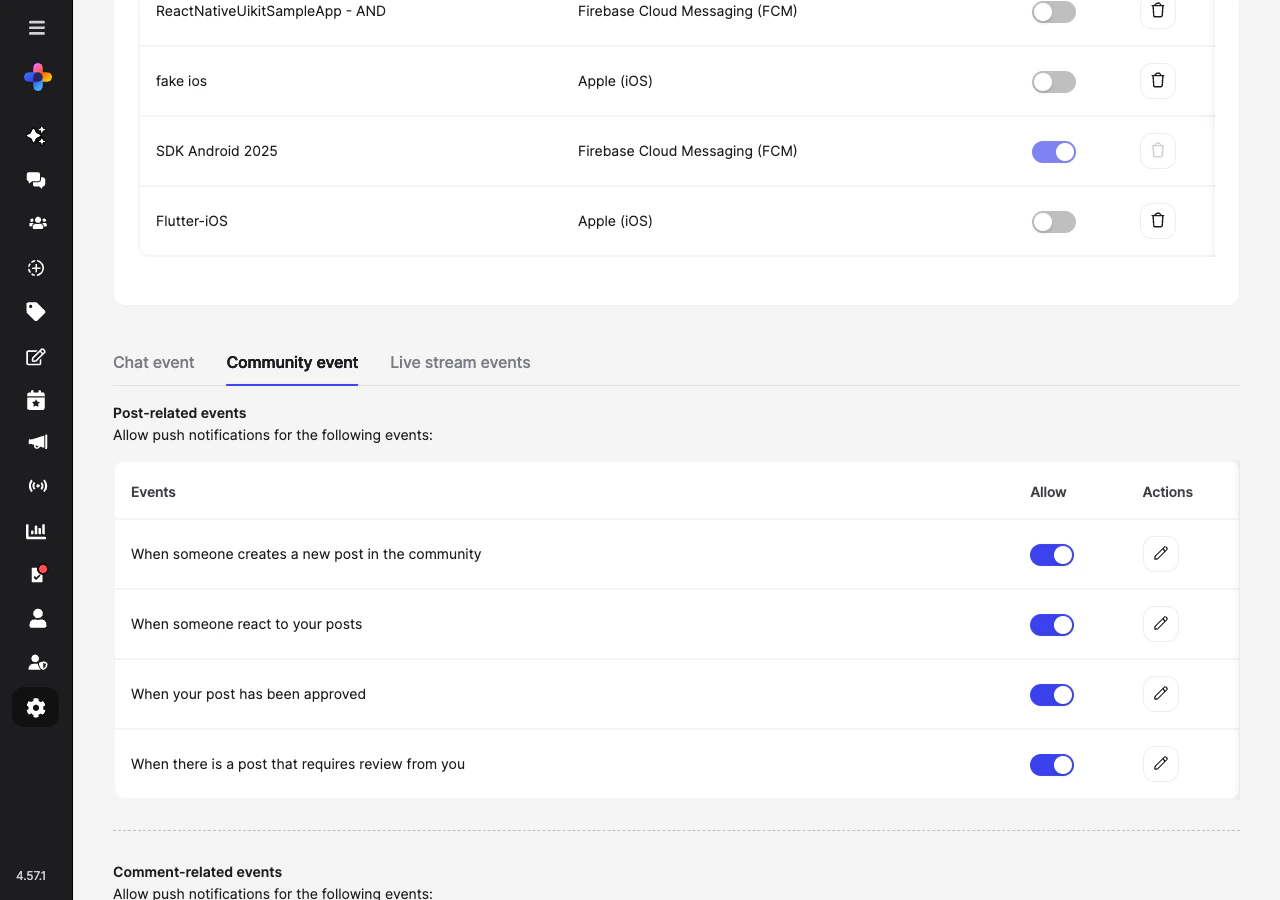
Push notification settings — toggle community event notifications (post created, reactions, approvals)
Webhook: event lifecycle
Webhook: event lifecycle
Receive
event.created, event.updated, event.rsvp.created, and event.rsvp.updated webhook events to sync attendance data with an external calendar system, CRM, or trigger reminder emails.→ Webhook EventsPush notification: event reminders
Push notification: event reminders
Use webhooks to send reminder push notifications to RSVP’d attendees before an event starts. Trigger this from your backend when
event.startAt - 24h is reached.→ Notifications guideEvents management reference
Events management reference
Full console documentation for events management including all field descriptions, event types, and status lifecycle.→ Console: Events Management
Common Mistakes
Best Practices
Event discovery UX
Event discovery UX
- Show upcoming events prominently in the community feed — pin an event post in the week before it starts
- Add filtering: “This week”, “This month”, “Past events”
- Show a map preview for in-person events with a location field
- Display the RSVP counts prominently (“42 going · 18 interested”) to create social proof
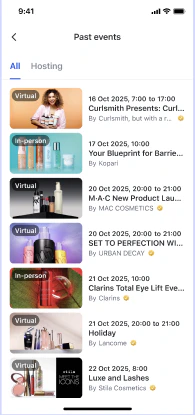
Past events page — mobile UI showing thumbnails, event types, and dates
RSVP workflow
RSVP workflow
- Send a confirmation in-app notification when a user RSVPs to an event
- Allow users to change their RSVP up until the event starts
- Send a reminder push notification 24h and 1h before the event to “going” attendees
- After the event ends, ask attendees to leave a review or reaction
Timezone handling
Timezone handling
- Always store event times in UTC and convert to local time for display
- Show the timezone explicitly on event details (e.g., “3:00 PM PDT”) to avoid confusion
- For virtual events, show the time in both the creator’s and viewer’s timezone
Next Steps
Your next step → Notifications & Engagement
Events are live — now set up notifications so members get alerted about new events and RSVP reminders.
Community Platform
Events are typically hosted within communities
Notifications & Engagement
Send event reminders and RSVP notifications
Build a Social Feed
Surface upcoming events in the community feed