

These are shared UIKit components used by both post and livestream product tagging features. For feature-level documentation — including behaviour, limits, and when to use each component — see Post Components and Livestream.
Platform Support
ProductTagSelectionComponent
A searchable, multi-select product picker used when tagging products in a post or livestream. The component operates in one of three modes depending on context.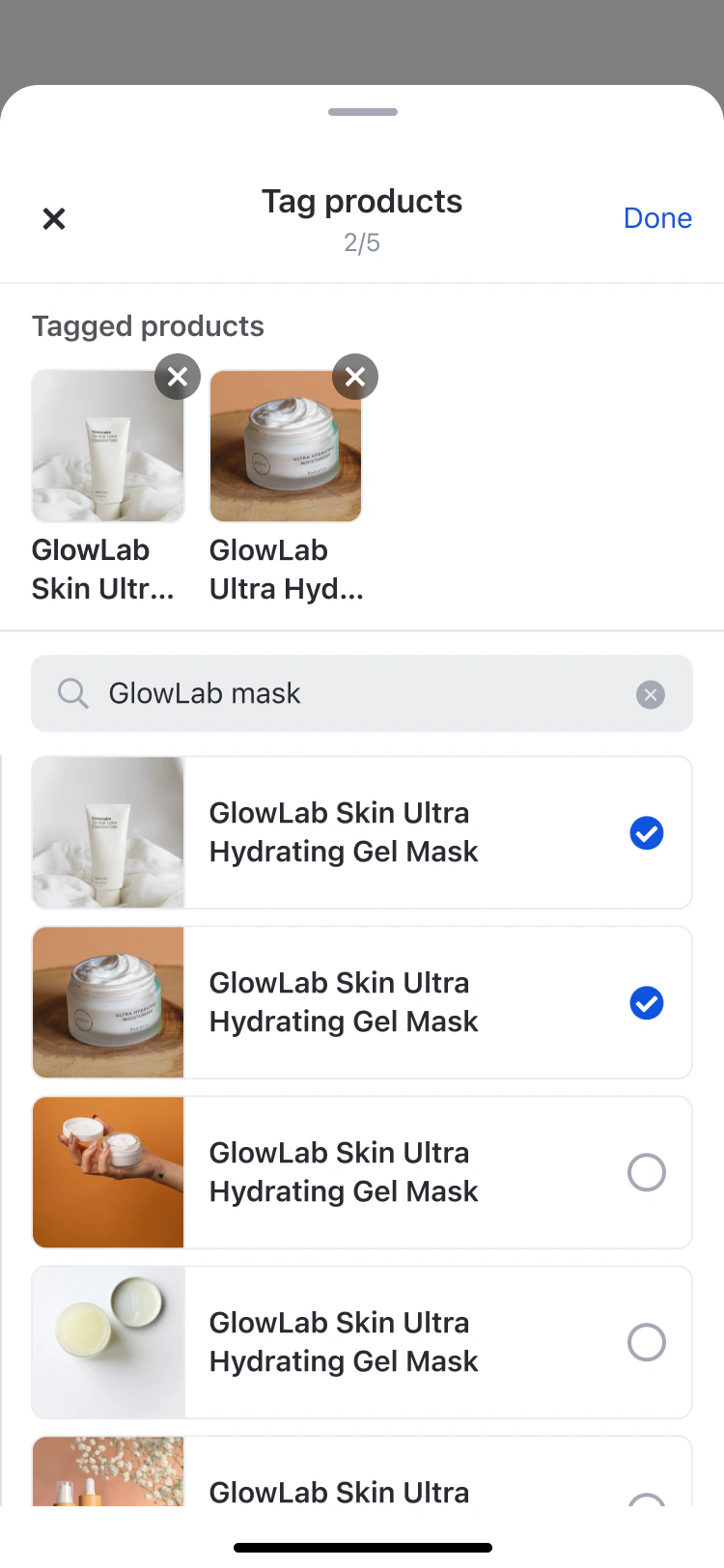
Mode Behaviour
Products already tagged elsewhere (e.g. on another media item) are shown in the list but appear disabled and cannot be re-selected.
Code Examples
ProductTagListComponent
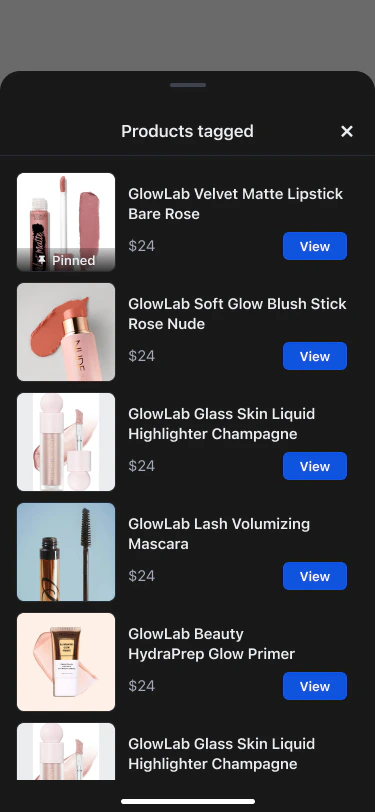
A read-only, vertically scrollable list that displays tagged products below post content. The header label adapts to the render mode context.
Render Mode Header Text
Code Examples
ManageProductTagListComponent
A management interface for hosts and co-hosts to tag, pin, and remove products during a livestream. Used in a bottom sheet (mobile) or popup (desktop). Also used in read-only mode for post-live replay.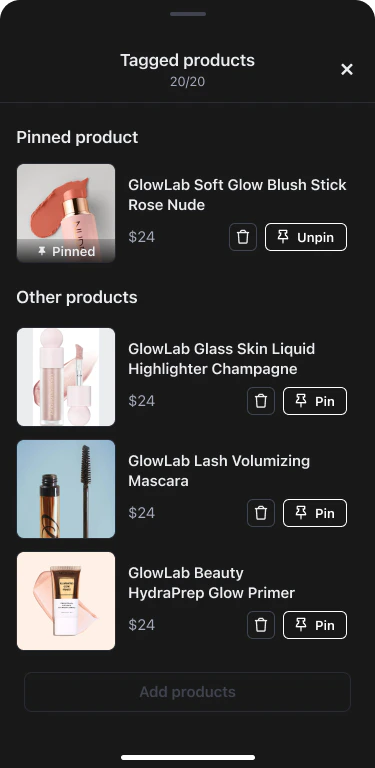
Render Mode Behaviour
When products are present, the list is organised into a pinned section at the top (single product) and an “Other products” section below. When empty, a call-to-action to add products is shown.
Code Examples
Related
Post Components
Product tagging behaviour, limits, and UX rules for posts
Livestream
Product tagging phases, pinning, co-host permissions, and viewer experience for livestreams